Key Technical Specifications
| Parameter Name | Parameter Value |
|---|---|
| Product Model | IS420YAICS1B |
| Manufacturer | General Electric (GE) |
| System Platform | Mark VIeS Control System |
| Pack Type | YAIC (Analog I/O Pack) |
| Total Analog Inputs | Up to 10 Channels |
| Input Config (Ch 1-8) | 5V, 10V, or 4-20mA Current Loop |
| Input Config (Ch 9-10) | 1mA or 0-20mA Current Input |
| Safety Rating | SIL (Safety Integrity Level) Rated |
| Ethernet Interface | Dual I/O Ethernet Connections |
| Processor Board | Shared Mark VIeS Distributed I/O Processor |
| Acquisition Board | Integrated Analog Input Acquisition |
| Functional Safety | SIL Compliant Analog In/Out |
Product Introduction
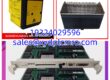
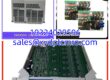
When you are dealing with GE Mark VIeS turbine controls, standard I/O cards simply do not cut it for safety-critical loops. The GE IS420YAICS1B is the exact YAIC (Analog I/O Pack) I specify when a plant needs SIL-rated analog integration. This module acts as the primary electrical interface, taking up to two I/O Ethernet connections and translating them directly to the analog terminal boards. It shares the core processor board with other Mark VIeS distributed I/O packs, ensuring your turbine control network stays synchronized.What makes this specific IS420YAICS1B revision a workhorse in the field is its flexible analog channel configuration. You get 10 total inputs, with the first 8 handling standard 5V, 10V, or 4-20mA loops, while the last two are dedicated to 1mA or 0-20mA signals. I will give you a fair warning: because this is a discontinued SIL-rated part, market pricing can fluctuate wildly. Always verify your exact terminal board compatibility, as mixing up the YAIC variants will cause configuration faults during your turbine startup.
Quality SOP & Tech Pitfalls
Before this IS420YAICS1B leaves our bench, it goes through a strict validation protocol. We start with a visual counterfeit check, inspecting the GE silkscreen and verifying the board revision. Next, it goes onto a live Mark VIeS test rack. We don’t just check for power; we verify the dual Ethernet links negotiate properly and simulate a 4-20mA signal to confirm the acquisition board is reading accurately. Finally, we log the firmware revision, perform an insulation resistance check, and seal it in an anti-static bag.Here is the brutal reality check: Do not mix up the input channel wiring. Channels 1-8 and Channels 9-10 have different electrical specifications. I once watched a tech wire a 4-20mA transmitter into channel 9, expecting it to auto-detect, and ended up blowing the acquisition circuit because that channel was strictly configured for 0-20mA. Also, watch your ESD. The analog acquisition components on these SIL boards are highly sensitive. If you don’t wear a grounding strap, you might install a dead card.
Installation & Configuration Guide
- Pre-Installation Prep: ⚠️ CRITICAL: Take a high-resolution photo of the existing module’s DIP switches and Ethernet cable routing. Power down the Mark VIeS rack if required by your site safety LOTO (Lockout/Tagout) procedures.
- Safe Removal: Label all analog field wires and Ethernet connections. Depress the DIN rail clips (or loosen the front panel screws) and slide the old YAIC pack straight out. Never pry it from the edges.
- Hardware Configuration: Copy the DIP switch settings exactly. The IS420YAICS1B has selectable I/O Ethernet addresses. If you get this wrong, the Mark VIeS controller will not recognize the pack. Slide the new module into the slot until it seats firmly against the backplane.
- Power-On & Verification: Restore 24V DC power. Watch the front panel. The OK LED should stabilize. Open the Mark VIeS configuration software and verify the Ethernet link LEDs illuminate. Download the existing configuration to the new pack.

Compatible Replacement Models
| Replacement Option | Model Number | Compatibility Notes |
|---|---|---|
| ✅ Drop-in Replacement | IS420YAICS1B | 100% hardware and software match. Direct swap for existing YAIC slots. |
| ⚠️ Software Compatible | IS420YAICS1A | Older revision of the same YAIC pack. May require a Mark VIeS software update to recognize. |
| ❌ Hardware Mod Required | IS420PVIBH1B | This is a Vibration I/O Pack. Completely different acquisition board. Do not use for standard analog control. |
| ❌ Hardware Mod Required | IS430SNUAH1A | Universal I/O Assembly. Different form factor and backplane pinout. Requires chassis modification. |
Frequently Asked Questions (FAQ)
Can I hot-swap this module while the Mark VIeS rack is powered on?
Yes, the Mark VIeS distributed I/O supports hot-swapping. However, I always recommend disconnecting the Ethernet cables first to prevent port damage, and you should be ready to re-download the configuration via the controller immediately after insertion.Does this module handle safety trip logic?
Yes, the IS420YAICS1B is SIL-rated. It is designed specifically for safety-critical analog loops in turbine control. However, always verify your voting logic in the Mark VIeS software to ensure the trip thresholds are set correctly.Why won’t the controller see my new YAIC pack?
Check the I/O Ethernet address DIP switches and the physical Ethernet cabling. I’ve seen guys spend hours troubleshooting a software driver issue when the physical address switch on the front of the YAIC was bumped to the wrong position during installation.Is this the same as the standard Mark VIe analog card?
No. The IS420YAICS1B is specifically designed for the Mark VIeS (Safety) platform. While it shares architecture with standard Mark VIe, the SIL certification and safety firmware make it distinct. Do not substitute standard I/O packs in a safety-rated slot.What does the dual Ethernet connection do?
The YAIC pack supports up to two I/O Ethernet connections for redundancy. If your primary Ethernet link fails, the secondary link ensures the analog data continues to flow to the Mark VIeS controller without dropping the safety loop.