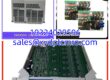
Key Technical Specifications
| Parameter | Value |
|---|---|
| Product Model | 128275-01 |
| Manufacturer | Bently Nevada |
| Product Type | Display Panel / Front Card |
| Display Technology | VGA Monitor Interface |
| Power Consumption | 5.6 Watts (-01 Display Unit) |
| Rack Compatibility | Up to 2 displays per 3500 rack |
| Mounting Options | Face, 19-inch EIA Rack, Panel, Standalone |
| Dimensions | 20 x 20 x 10 cm |
| Weight | 0.55 kg |
| User Interface | Touchscreen Operation |
| Data Capabilities | Custom Displays, Alarm Logging, Historical Data |
Product Introduction
When you’re standing next to a loud, vibrating compressor in a remote facility, relying solely on a distant DCS screen to check machine health is a terrible idea. You need local visibility, and that is exactly what the BENTLY 128275-01 was built to do. It acts as the local eyes and ears for the 3500 Machinery Protection System, mounting directly to the rack to give operators immediate access to vibration data, alarm statuses, and historical trends without waiting for upper-level network updates.I’ve always appreciated this panel because it takes the guesswork out of field diagnostics. With a power draw of just 5.6 Watts, it doesn’t hog the backplane budget, yet it still pushes clear VGA data to a local monitor. The touchscreen interface allows you to customize exactly what parameters you see on the screen, which is incredibly handy when you’re trying to isolate a specific bearing issue during a 2 AM shift. Just keep in mind that this specific revision is notoriously picky about cable routing, but otherwise, it’s a bulletproof piece of local monitoring gear.
Quality SOP & Tech Pitfalls (The Reality Check)
Before any 128275-01 leaves our facility, it goes through a strict QA protocol. We start with a visual and counterfeit inspection, checking the PCB for cold solder joints or replaced components. Next, it goes on a live test rack where we verify touchscreen responsiveness, VGA output clarity, and data polling from a 3500/20 Rack Interface Module. Finally, we run insulation resistance checks with a Fluke 115 and seal it in proper anti-static packaging.Here is the brutal reality of working with legacy Bently displays: ESD (Electrostatic Discharge) will fry the touchscreen controller faster than you can blink. I’ve seen technicians pull these panels out of the rack in low-humidity environments without wearing a grounding strap, and the touch inputs immediately stop registering. Always wear your wrist strap. Another major pitfall is assuming the display will automatically show your data. If the Display Interface Module isn’t properly configured in the 3500 Rack Configuration Software, the screen will just sit there blank. Always verify your software mapping before declaring the hardware dead.
Installation & Configuration Guide
- Pre-Installation: ⚠️ SAFETY FIRST. Ensure the 3500 rack power is safely isolated if replacing a failed unit, or follow hot-swap procedures if the system supports it. Take a clear photo of the existing ribbon cable and VGA connections before touching anything.
- Removal: Carefully label the VGA and data cables. Release the DIN clips or face-mount screws safely. Do not yank the ribbon cable; use the locking tabs to disconnect it gently.
- Installation: CRITICAL STEP: Verify that your replacement 128275-01 matches the exact hardware revision of the old unit. Connect the data ribbon and VGA cables exactly as photographed. Seat the module firmly into the rack or face-mount bracket.
- Power-On & Testing: Restore 24V DC power to the rack. Watch the LED boot sequence on the adjacent modules. Connect your laptop via the 3500 Configuration Software to verify that the display is recognized and actively polling channel data.
Compatible Replacement Models
| Replacement Model | Compatibility Tier | Notes |
|---|---|---|
| 128275-02 | ✅ Drop-in Replacement | Later revision of the same display unit. Draws slightly more power (12.0W) but is fully hardware/software compatible. |
| 128275-01F | ⚠️ Software Compatible | Often listed as a blank filler plate or specific variant. Verify with OEM documentation before purchasing to ensure it includes the active display electronics. |
| 130944-01 | ❌ Hardware Mod Required | This is a full-height blank front panel, NOT an active display. Do not buy this expecting to monitor data. |
Frequently Asked Questions (FAQ)
Can I hot-swap this display panel while the 3500 rack is powered on?
Yes, generally. The 128275-01 is designed to be removed and replaced without shutting down the entire protection system. However, I always recommend pulling up the System 1 software first to ensure the rack doesn’t throw a nuisance communication fault when the display drops off the bus.Why is my touchscreen unresponsive even though the VGA picture is fine?
Nine times out of ten, this is a software mapping issue, not a hardware failure. The display needs to be explicitly assigned to a specific rack and slot in the 3500 Rack Configuration Software. If the software thinks the display is offline, the touch controller won’t process inputs.How many of these can I daisy-chain on a single 3500 rack?
The hardware limit is strictly two display units per 3500 rack. If you try to add a third, the backplane won’t support the data polling, and you’ll end up with a blank screen.Is this module compatible with the older 3300 series racks?
No. The 128275-01 is specifically engineered for the 3500 series backplane architecture. The 3300 series uses entirely different monitoring hardware and communication protocols.What happens to my historical data if this display fails?
Nothing. The 128275-01 is strictly a local viewing and configuration interface. All actual data logging, buffering, and alarm tripping are handled by the core monitoring modules (like the 3500/40 or 3500/42) and the System 1 server. You won’t lose any critical protection data if this screen dies.